From early on using Substance Designer i made it a habbit to always save useful bits and pieces of node graphs that i stumbled upon while doodling or experimenting. I have a extra folder for larger graphs and i have a dedicated sbs file where i just copy paste small things that could become useful at some point. Inside the file it looks like this:
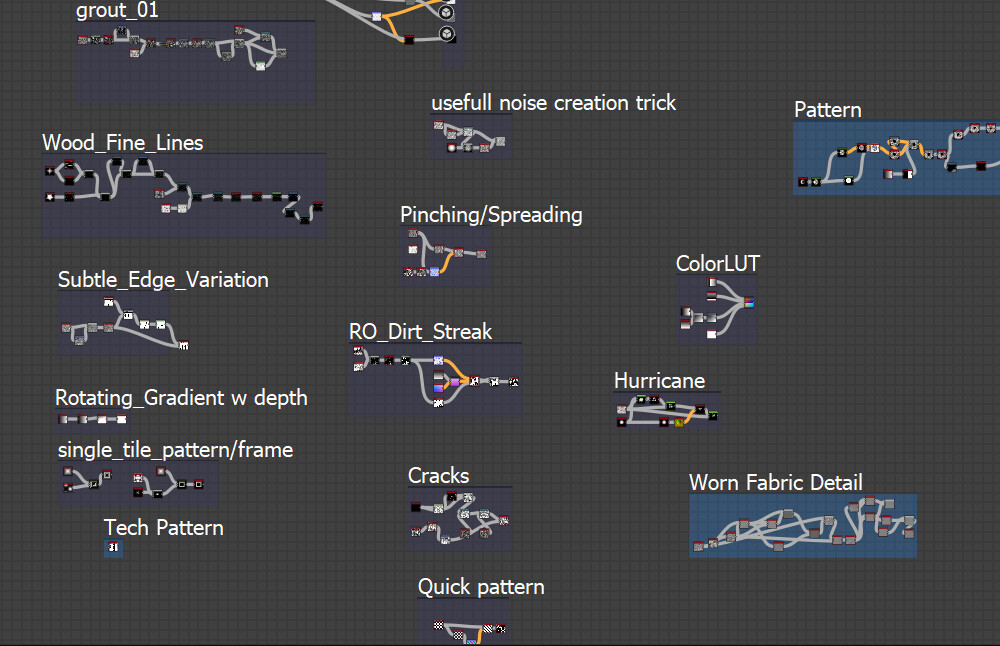
Let me show you some examples:
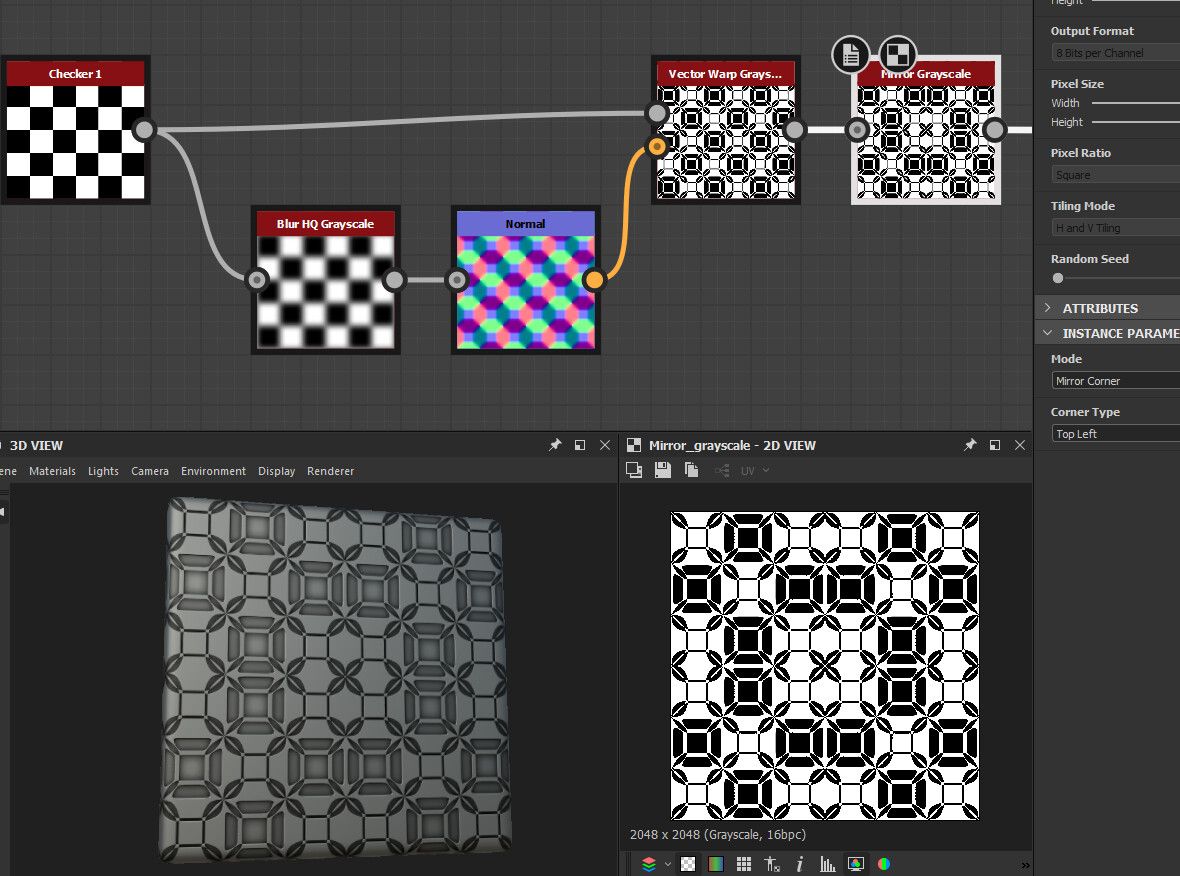
This is a super simple setup to create some interesting patterns. Playing with any of the settings or replacing the checker input with something else creates a plethora of different results.
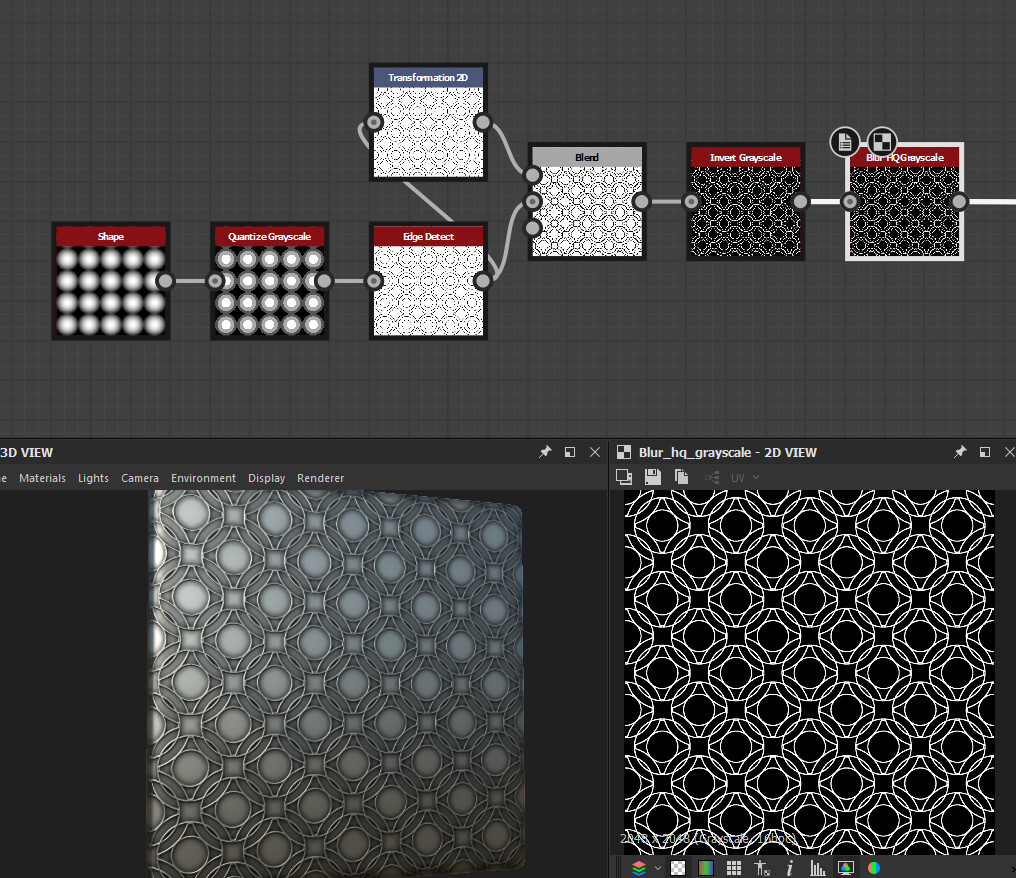
Another nice and simple way to create interesting patterns is via quantize and edge detect.

Similar to quantize non-uniform blur can be used to create patterns. Keep the samples down to 1 and play with number of blades, intensity and different shapes.

Gradient Dynamic can be used for more then just coloring. Shamelessly advertising for my Mirrors Pluse node here once again but as you can see it's possible to create a nice frame from a random splodge.

A damascus steel pattern can be generated by running a highly tiled Gradient through a vector warp.