Hey people!
Been a while that i posted anything on my artstation. Last couple months have been extremely busy for me. I moved twice and worked on the release of our game Insurgency: Sandstorm (check it out on Steam: Link ).
One thing that i was confronted with during optimization pass was the need to use simpler shaders. I had this neat little blend master material set up for the level designers/artists so they could create material blends as they saw fit. The material works well for creating nice variations using height lerps and various gradient inputs to blend between materials directly in the editor but it is expensive using a lot of shader instructions and texture inputs.
We used the 'Merge Actors' option in UE4 before to create optimized texture atlases from multiple assets so i figured that maybe this could work to "bake" down the material blends aswell. And it works!
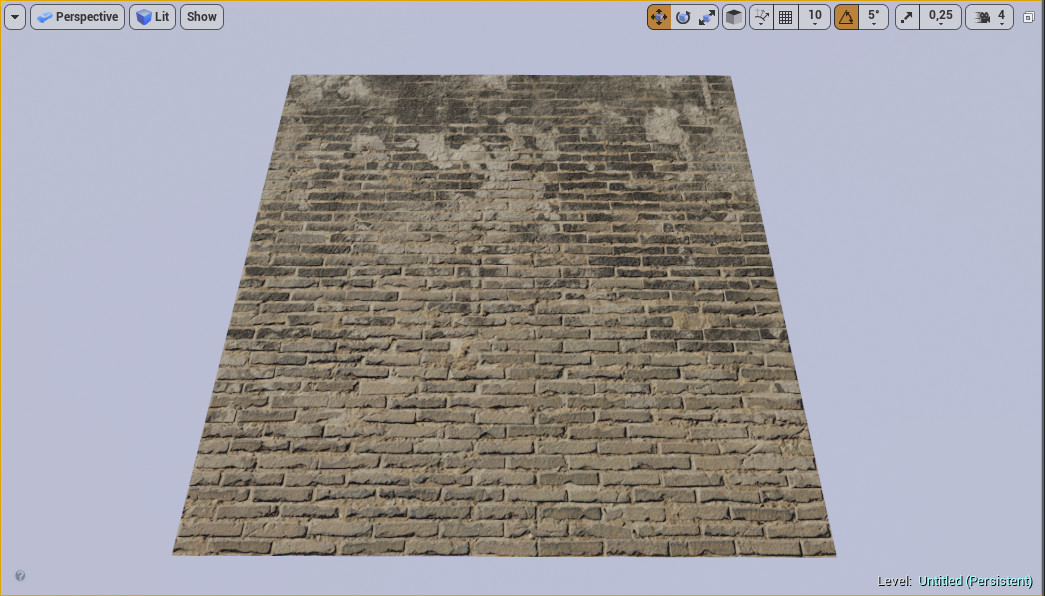
What you need is a simple plane mesh (unwrapped to 0-1 space) in an empty level. Place it at 0,0,0 and drop your blend material on it (this should work with vertex color blended materials also). In my example above you see a blend between yellow bricks and burned plaster materials. Select the mesh, right click and choose "merge actors". The following menu will pop up:
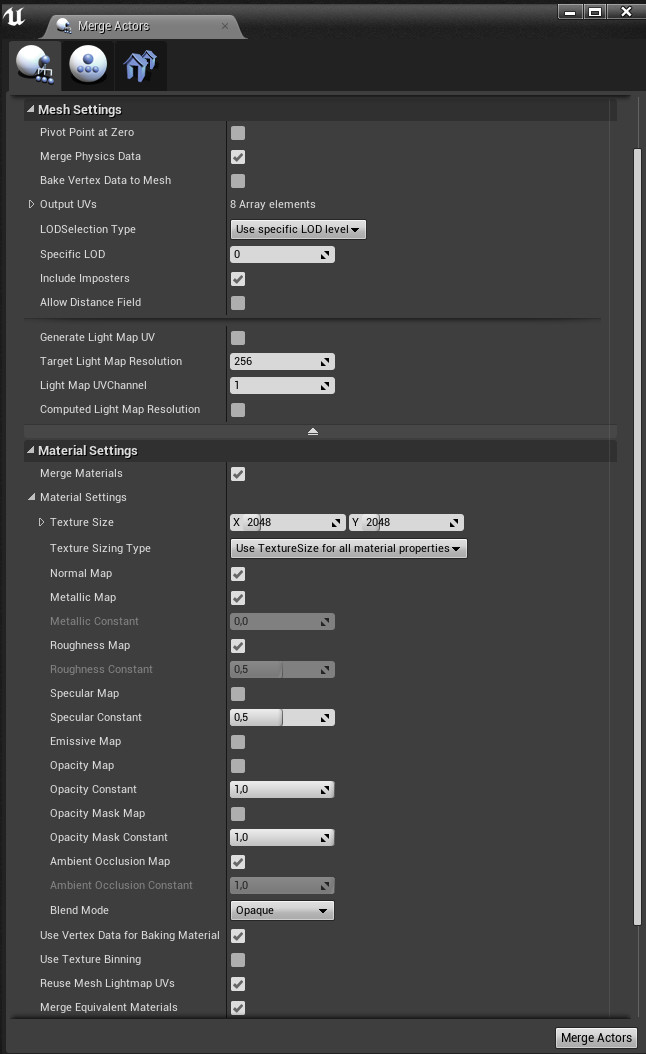
Under the "Mesh Settings" make sure to use lod0, under Material Settings select "Merge Materials" and underneath there you can now set the texture size and which maps to "bake". Hit "Merge Actors" and specify an output folder.

There you have it. The material and mesh that it created can be deleted. Unfortunately it doesn't create a RMA mask and the textures need to be renamed manualy but you can right click on the mask textures, export and then put them back together as an RMA mask texture in Photoshop that you can reimport.
Obviously this isn't a substitute for Substance Designer or Quixel Mixer but this info could be useful if you want to iterate on some blends inside UE4 within the actual context of your game/scene or the need for optimization emerges.