Hey everyone!
I have recently started to share things on Twitter on a more regular basis. Tips & tricks, wips etc. If you follow me there you have already seen the tips below. Please feel free to follow me if you are interested to read more of these and what else i'm up to. twitter.com/flownepp

This one was quite popular and went viral. Just a simple setup to create a really nice rosette shape or similar in a very small number of nodes. I also like this one a lot personaly because it produces nice results reliably from all kinds of settings and slider tweaks.

Another neat little setup for interesting circular shapes using the not so often used alpha blend mode. With the regular greyscale blend modes these shapes would intersect with each other. Could be useful for things like asian patterns perhaps?

This is how i created the linework for my Borderlands inspired substance.
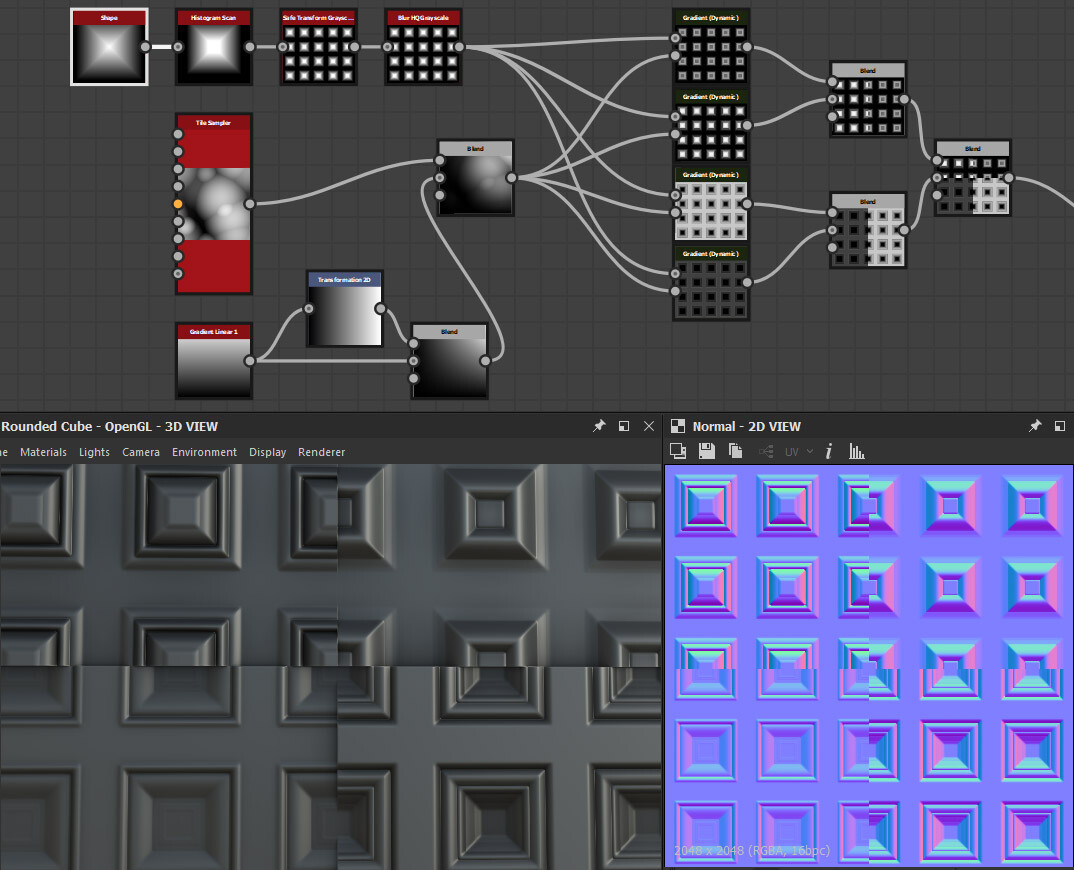
I believe i shared this or a similar one before. It shows how you can use Gradient Dynamic to create highly tweakable and randomized profiles for your shapes.
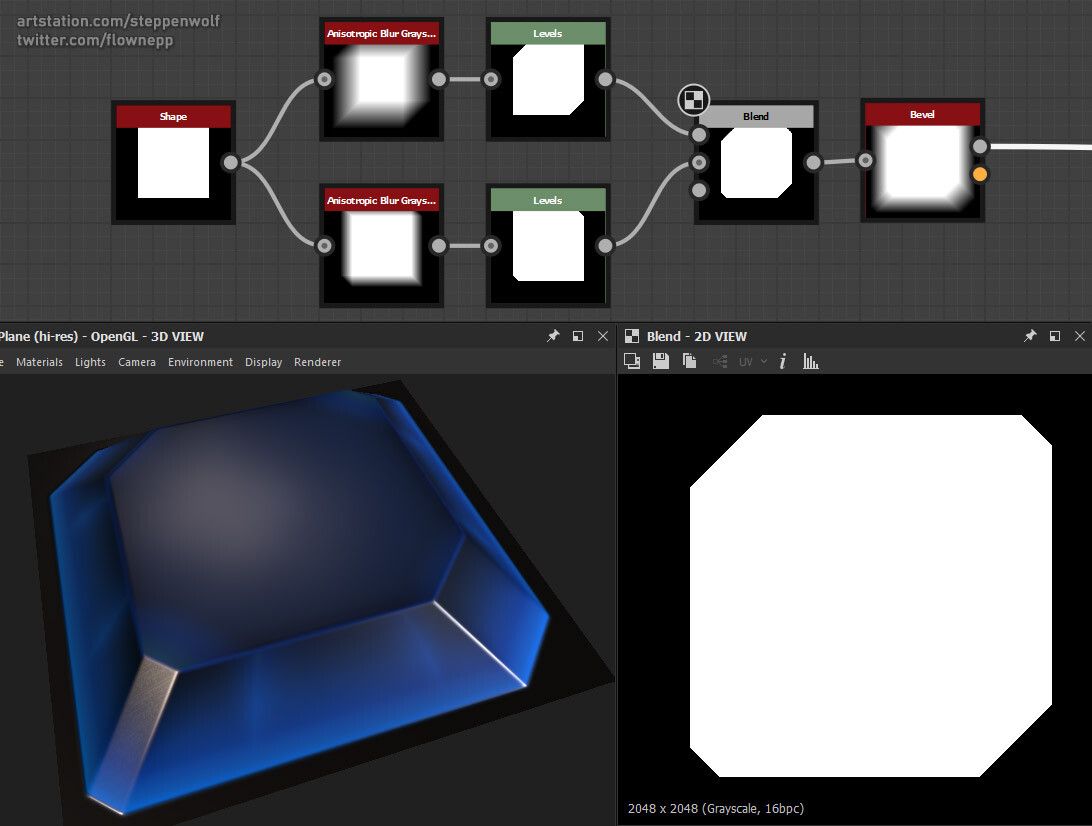
You can use Anisotrophic Blur and a levels/histogram to chamfer corners of your shapes.