Hey people! i didn't have much time for personal projects recently so this is another blog post just covering miscellaneous topics and some tips & tricks.
Quixel Mixer
Quixel released a new beta version for their Quixel Mixer (2018.1.2-Beta). The new version has masks like in Photoshop which is a very useful addition. The program now works much better for work with imported height maps or for augmenting imported materials (for instance from Substance Designer). This is especially very nice for production work in my opinion where time is more important then proofing a point by handcrafting every little detail yourself. You can for example make stones and brick patterns in SD and then quickly fill in the grout or some dirt with Mixer for a nice looking result.
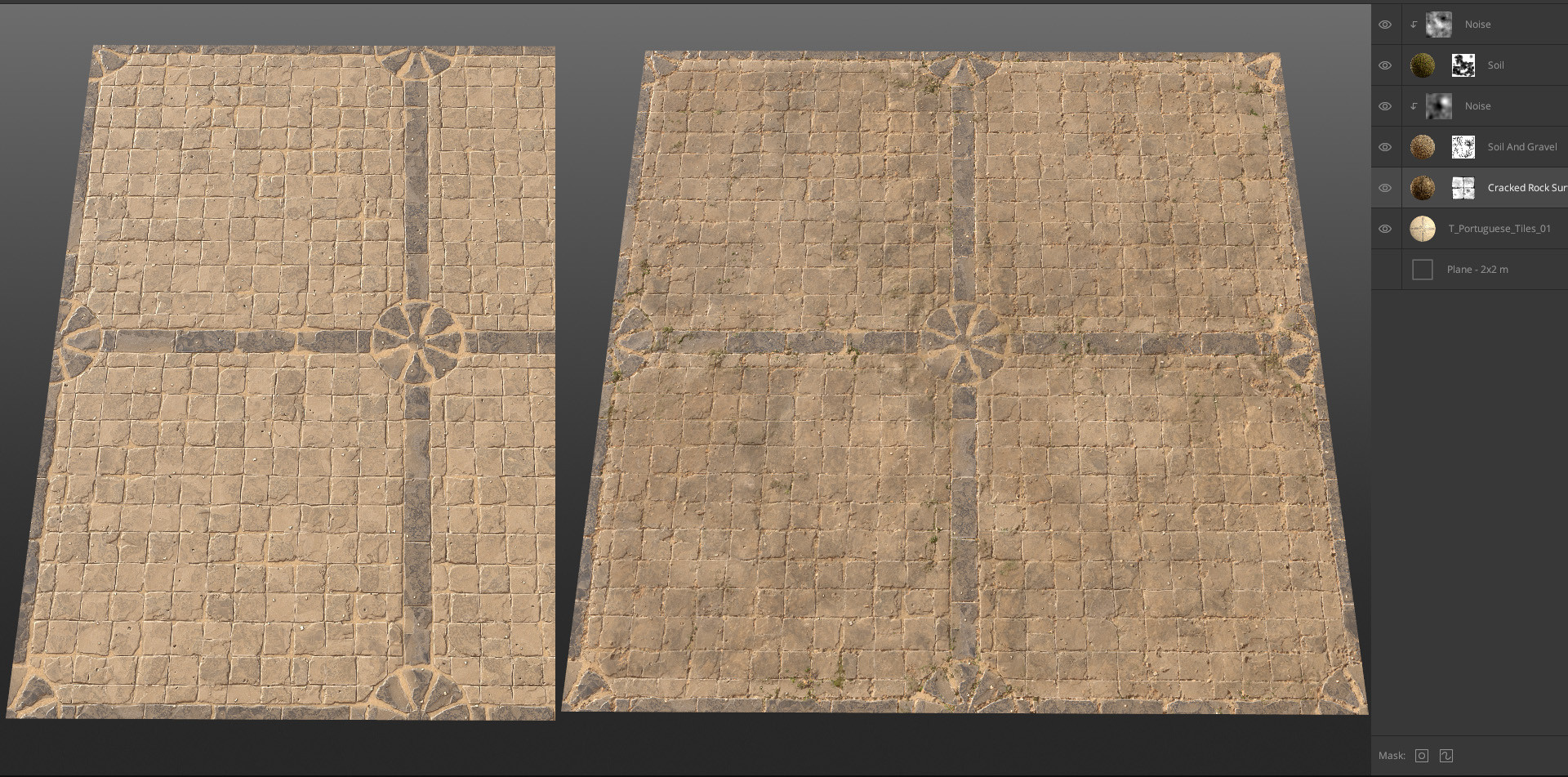
Here i imported one of my early substance attempts (left) that i wasn't very happy about anymore and improved it with just a few simple layers and masks.
Insurgency: Sandstorm
Over the last two years i've been working for New World on a game called Insurgency: Sandstorm. The game is currently being shown at E3 and people there can give it a try. LevelCap did a nice gameplay video showing some of the action:
I'm the only level texture artist working on it so you can see a lot of my professional substance work. It's still a bit rough around the edges but i'm already working on a polish pass for all my materials. All of the tiling mats and most of the decals (including bullet decals) were done by me in Substance Designer. I also made the trees and the mountain backdrops for this game. I'm looking forward to sharing an art dump later this year when the game is released.
Circular Scratches in SD
Recently one of the users on the Allegorithmic forum asked for help with a circular scratch pattern.
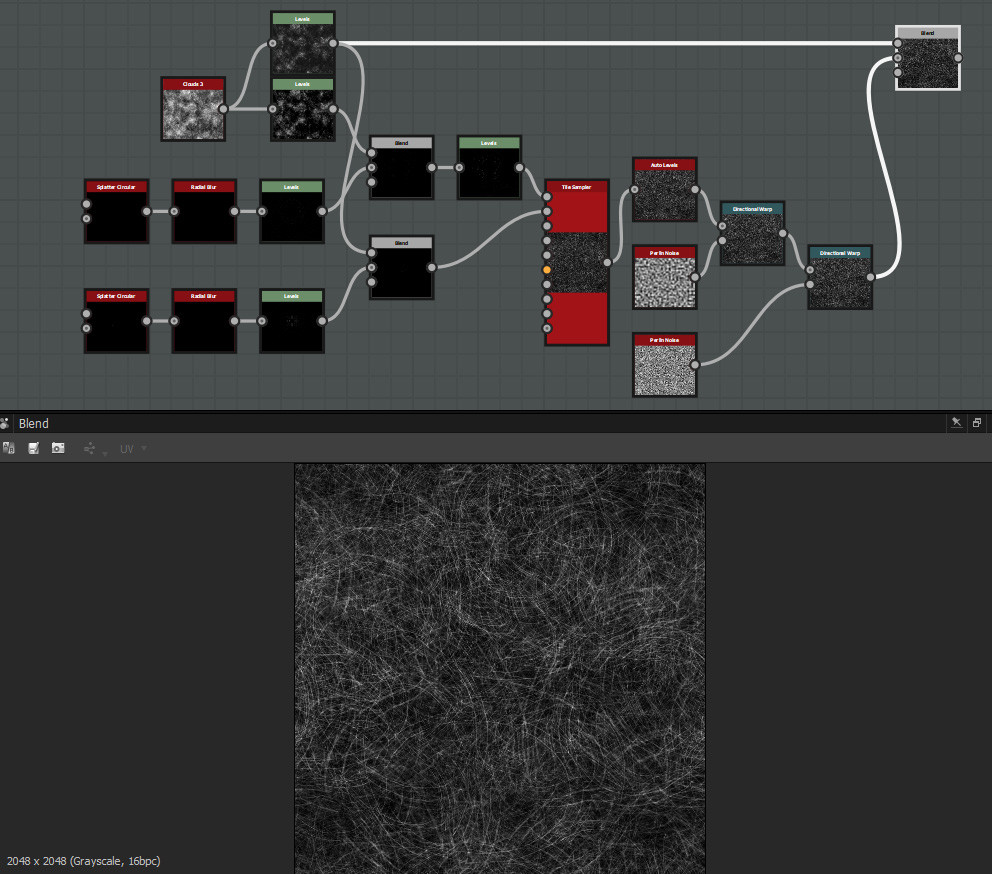
I figured something out that makes use of two circular splatters, radial blurs and a tile sampler. You can download the sbs on the forum to check it out in detail: https://forum.allegorithmic.com/index.php/topic,24198.0.html
Barber Shop Stripes in SD
Another user asked for help with a specific colored pattern. I came up with a fairly simple solution:

Assigning colors with Pixel Processor in SD
Someone on the Substance Discord asked how to assign different colors based on a greyscale range. I figured something out with a pixel processor. There are probably better solutions but this a nice little node network using if else nodes and comparison nodes that beginners can take a look at for learning purpose:

Spawning leafs on a branch in SD
This is something that often gets asked how to do. Basicly the idea here is to make a mask from your branch and feed it into the mask slot of a tile sampler. This restricts the area where leafs will spawn. A very important bit is the transform after my leaf generator. Inputs will spawn and rotate around their center so by moving the base of the leaf to the center i make sure that they will attach to the branch and rotate correctly.
